
Warehouse Management Module Overview
High Speed’s ERP system has a state-of-the-art warehouse management module, designed for storage facilities and logistics businesses. This module provides state-of-the-art technology for warehouse management, stock optimization, easier process delivery, and control of all activities.
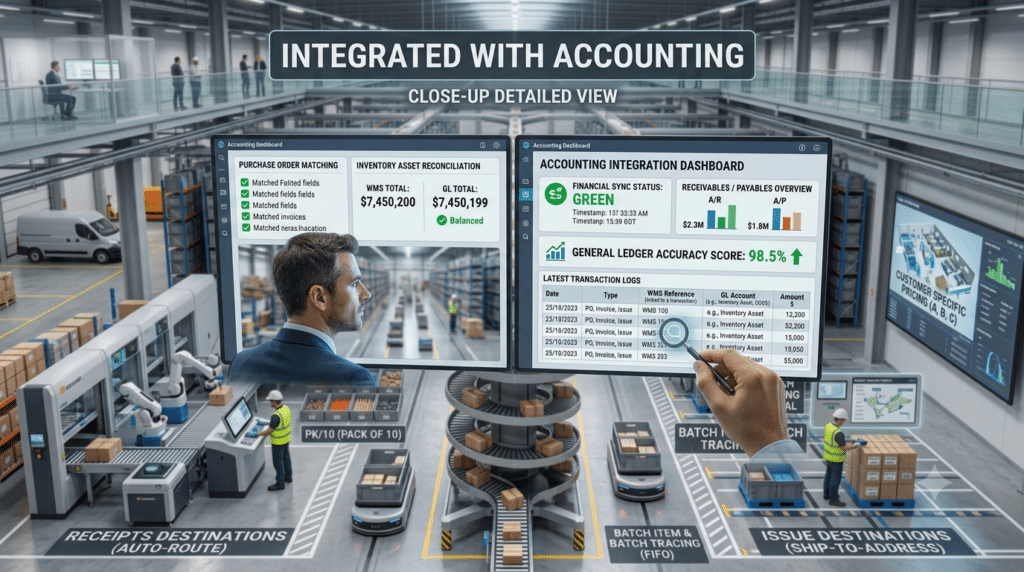
Integrated With Accounting
When making any transaction, it will affect.
Periodic and Continues Stocktaking when accounting voucher reflected it will be either Periodic or Continues Stocktaking that is depending on the nature of the corporation work
Multi-Warehouse
- SpeedPro enables you to manage inventory in multiple locations. As you enter purchase and sales transactions, SpeedPro inventory management software application provides the capabilities to choose the warehouse location that will receive or fulfill the order. Inventory reports allow you to view information about your total inventory on hand, or just the inventory level at a specific warehouse.
- Multiple Units of Measure With SpeedPro inventory management software application, you can manage multiple units of measure for selling, buying, and costing each item across various sales channels. Additionally, you can more closely track inventory costs and increase profitability.
Customer Pricing: SpeedPro inventory management system, you can assign different prices for different types of customers
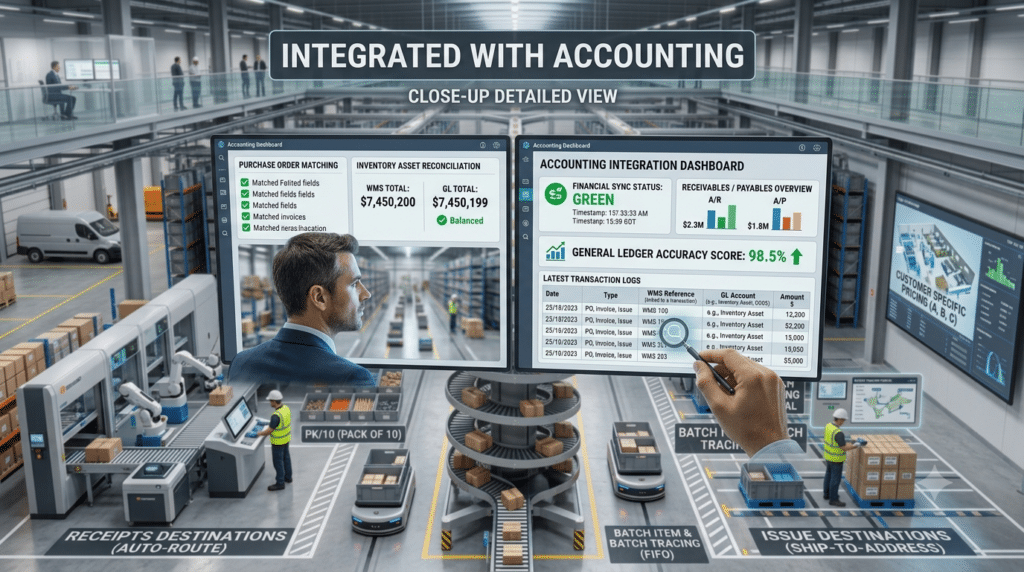
Batches Item and Batch Tracing:A complete history for each Item Batch is maintained in the inventory management program through the product’s life cycle. You can also assign an expiration date to each Item Batch and enter notes about it. Batch items track the specific cost for each Batch as products are bought and sold. Batch Numbers must be entered when building or receiving a Batch into inventory, and when fulfilling orders for a Batch item. You can even set up a warning to let you know when an item you’re fulfilling is about to expire. VALUE+ sophisticated transaction search functionality makes it simple to view the entire history of a Batch as it moves through your system and to customers, making recall warnings extremely easy to handle
Batches Item and Batch Tracing
- A complete history for each Item Batch is maintained in the inventory management program through the product’s life cycle. You can also assign an expiration date to each Item Batch and enter notes about it. Batch items track the specific cost for each Batch as products are bought and sold. Batch Numbers must be entered when building or receiving a Batch into inventory, and when fulfilling orders for a Batch item. You can even set up a warning to let you know when an item you’re fulfilling is about to expire. SpeedPro sophisticated transaction search functionality makes it simple to view the entire history of a Batch as it moves through your system and to customers, making recall warnings extremely easy to handle
- Receipts and Issues destinations:
When you make receipts or issues voucher, there are destinations to be specified in order to be able to do the analytical reports. For example if the production is the destination of receipts or issues, Also it will be able to study and survey the production processes.